Run journeys on your machine
proxymock replay --browser runs a folder of journeys in Chromium against a frontend on your machine. Run it next to proxymock mock and the frontend's API calls are answered from a recording, so you can work on the frontend with no API tier running.
Before you start
- proxymock installed.
nodeon yourPATH.@playwright/testand Chromium installed in the journeys folder or a folder above it:
npm install -D @playwright/test
npx playwright install chromium
Set SPEEDSCALE_PLAYWRIGHT_DIR to a directory that has them to use an install somewhere else. The journeys' own install wins when both exist.
Replay with the API calls answered from a recording
Start a mock server on the recording that holds the frontend's API calls. A recording made with proxymock record --browser has them; see Record a journey.
proxymock mock --in <recording>
In another terminal, run the journeys against the frontend, with the browser's traffic sent through the mock server's proxy port:
proxymock replay --in <recording> --browser ./journeys \
  --test-against http://localhost:3000 \
  --browser-proxy http://localhost:4140
--test-against is the frontend's base URL. The mock server answers each call it has a recording for and, by default, passes every other call through to the real host. Each call the recording could not answer is named under its journey, so you can see what to record next. Start the mock server with --no-passthrough to answer those calls with a 404 instead, and keep the run off the real APIs entirely.
When the proxy intercepts HTTPS calls, add --browser-ignore-https-errors so the browser accepts the mock server's certificate.
Replay against the real APIs
To check that the real APIs still answer the way the recording says, have the mock server send every call to the real API and name the recorded call it matched:
proxymock mock --in <recording> --observe-real-apis
Run proxymock replay --browser against it as above. Each journey then lists the calls whose real response differs from the recording, with what differed, such as the status code or the JSON body. See Mocks and real APIs.
Leave out --browser-proxy to run the journeys with no proxy at all. The browser then calls whatever the frontend calls, and nothing is compared.
Read the results
proxymock prints each journey as it finishes, then a summary:
  ✗ shopper loads the item list (shop.spec.ts:3) 5.155s
      Error: expect(locator).toHaveText(expected) failed
      answered differently from the recording: GET http://api.demo.test/items (Body JSON)
  ✓ shopper sees a checkout button (checkout.spec.ts:3) 2.104s

Browser journeys: 1 passed, 1 failed, 0 skipped
Web vitals (p95 across journeys): LCP 412ms, FCP 388ms, TTFB 21ms, CLS 0
Traces and screenshots of failed journeys: /var/folders/.../speedscale-browser/<run>/test-results
proxymock replay exits with status 1 when any journey fails, so it can gate a CI job as it is.
Open a failed journey's trace with Playwright's trace viewer:
npx playwright show-trace <test-results>/<journey>/trace.zip
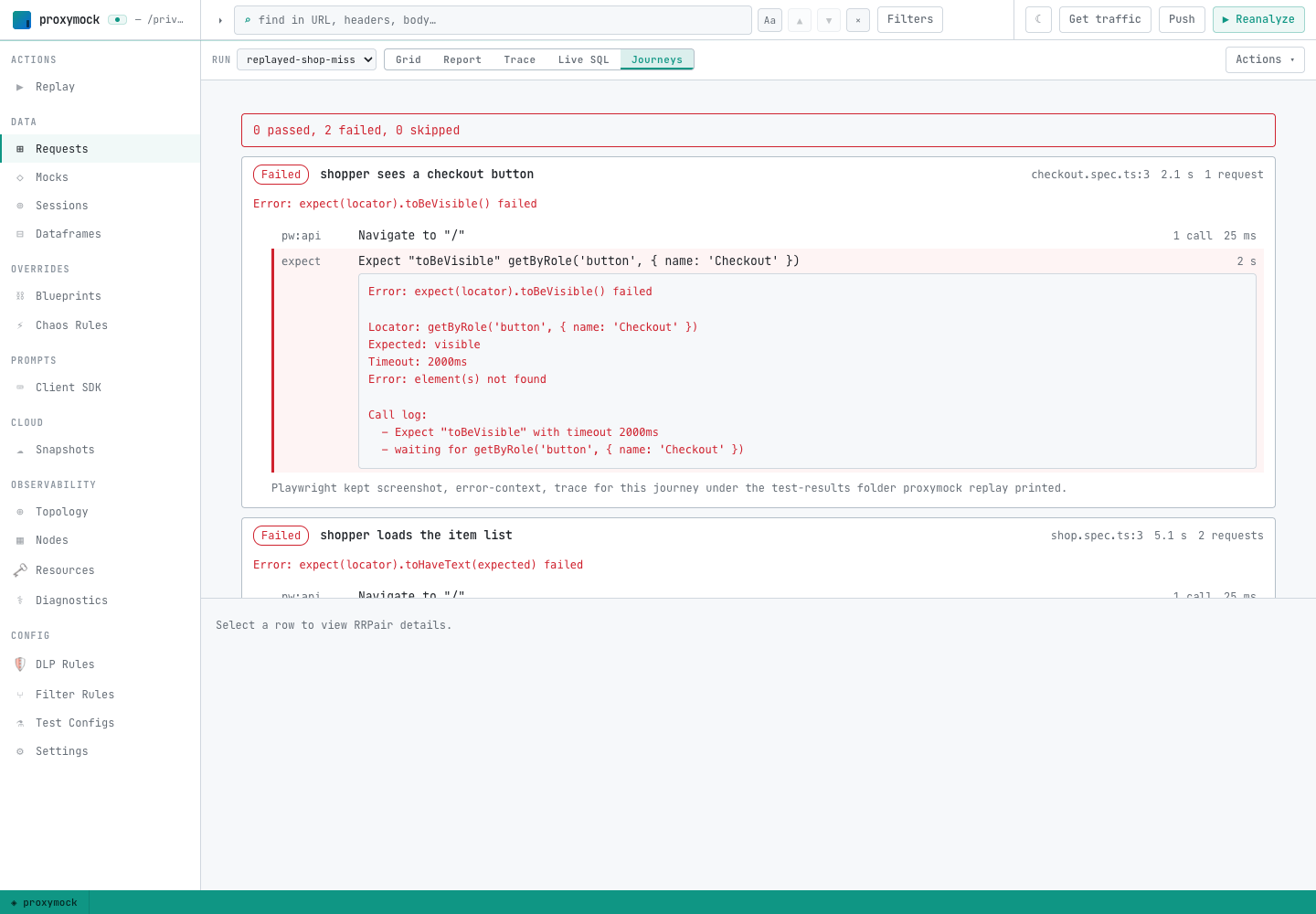
The run also writes browser-journey-results.json into the replay's output folder. In proxymock web (proxymock web), pick the run on the Requests page and switch to Journeys to see each journey's steps, the calls each step made, the calls the recording could not answer and the calls the real API answered differently. The Journeys view appears only for runs that ran journeys.
Flags
| Flag | Default | What it does |
|---|---|---|
--browser <dir> | none | Run the journeys in this folder instead of replaying recorded requests. |
--test-against <url> | none | The frontend's base URL, which relative URLs in the journeys resolve against. |
--browser-proxy <url> | none | Send the browser's traffic through this HTTP proxy, normally proxymock mock at http://localhost:4140. |
--browser-workers <n> | 1 | Run this many journeys at once, each in its own browser context. |
--browser-ignore-https-errors | off | Accept any TLS certificate, needed when the proxy intercepts HTTPS. |
--browser-block <glob> | none | Abort requests matching this URL glob in the browser, for analytics and chat scripts. Repeatable. |
Pass --test-config to apply a test config's other browser settings, such as a storage state, and its goals. The flags above override the matching config settings.