Import from Postman
This guide imports an existing Postman collection into Speedscale Cloud or local proxymock files. It is useful when a service is new and has no recorded traffic.
We'll take the following steps:
- Export your collection from Postman
- Import your collection to Speedscale Cloud or proxymock.
- Replay the requests or serve saved example responses as mocks.
Export Postman collection
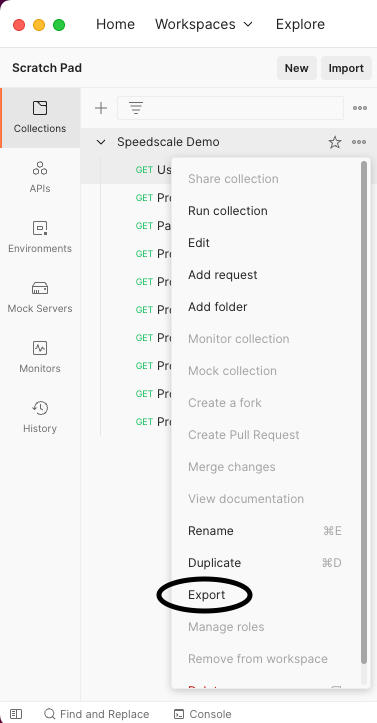
Open your Postman collection and export it to a local file. Only collection format v2.1 is supported.
Import to Speedscale Cloud
Open Services in the Speedscale UI. Click Add service, then select Build from Postman Collection.
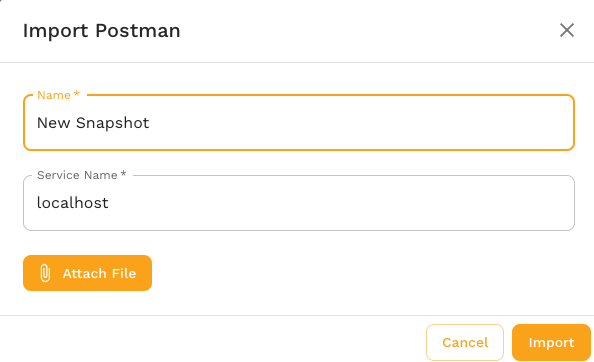
The dialog asks for a snapshot name, collection file, and service name. The service name identifies the imported traffic; the replay wizard asks for the real target URL later.
The equivalent CLI command is:
speedctl import postman --name {SNAPSHOT_NAME} \
  --service-name {SERVICE_NAME} --from collection.json
Import to local proxymock files
The local importer does not require a Speedscale account. Collection variables with values are substituted. Variables exported without values, which commonly include secrets, remain as {{placeholders}}.
proxymock import postman collection.json --out ./postman-rrpairs
proxymock replay --in ./postman-rrpairs \
  --test-against http://localhost:8080
Requests with saved example responses can also be served as dependency mocks:
proxymock mock --in ./postman-rrpairs
View Snapshot
A cloud import creates a traffic snapshot that can be replayed in a cluster or from a local desktop. After import, the UI opens the snapshot.
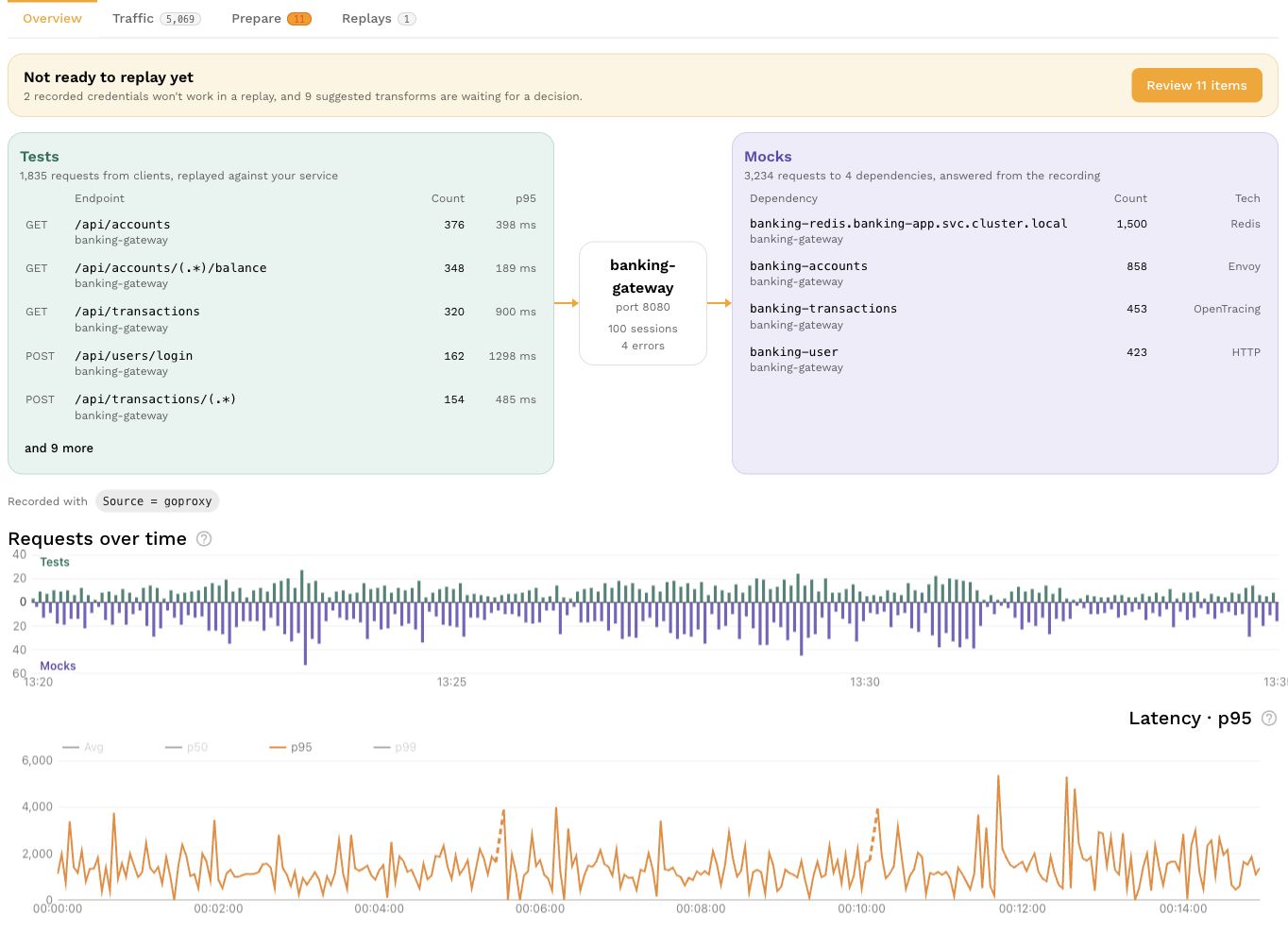
Open the Traffic tab to inspect the Postman requests before replay.
Replay
Postman-generated cloud snapshots can be replayed from the snapshot page. Set Custom URL to the service under test because an imported collection does not have a discovered cluster destination.
For the cloud workflow, see the full replay guide. For local commands, run proxymock import postman --help and proxymock replay --help.