_cli_windows
Open PowerShell and create a Speedscale directory.
mkdir -f $env:userprofile\.speedscale
Download speedctl into the Speedscale directory.
curl.exe -L "https://downloads.speedscale.com/speedctl/speedctl.exe" -o $env:userprofile\.speedscale\speedctl.exe
If this is your first time using speedctl you may need to add the Speedscale
directory to your Path environment variable so it is accessible without knowing
the full path.
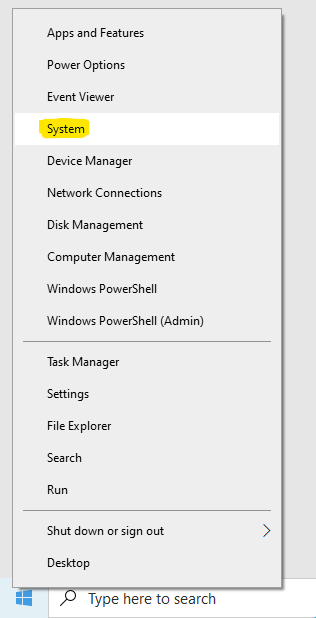
To add the Speedscale directory to your path, right click on the Windows button and click System.
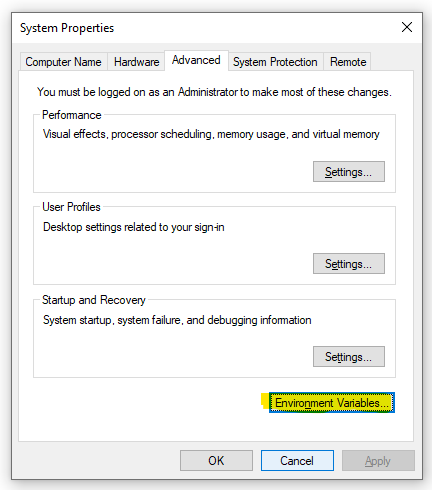
Click Advanced system settings on the right.

Click Environment Variables.
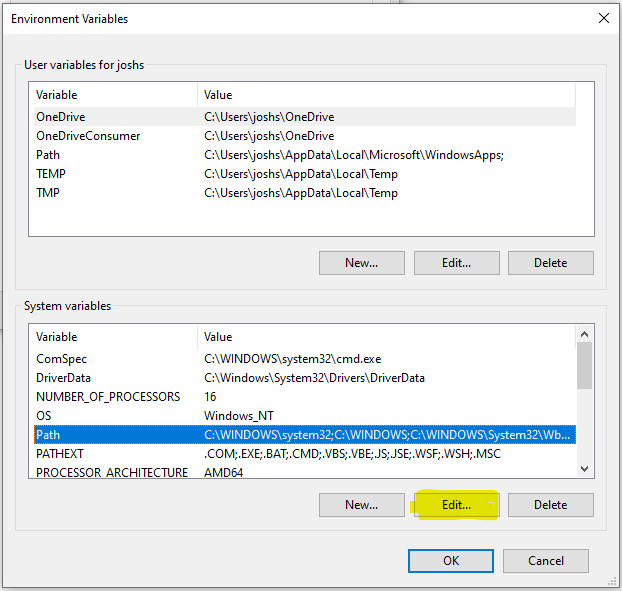
Under System variables select Path and click Edit.
Create a New entry in the list with the Speedscale directory. If you are unsure of the exact path run this command from PowerShell.
echo $env:userprofile\.speedscale
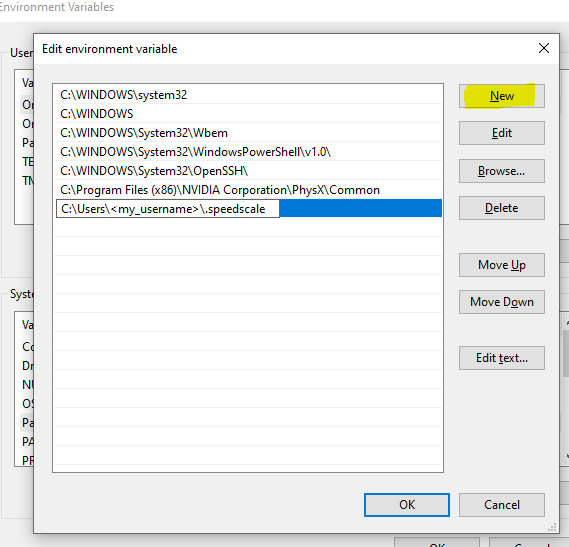
Click OK and restart PowerShell.