---
title: "Traffic | Speedscale Docs"
description: "Configure traffic settings in Speedscale to customize URL transformations and group API endpoints for efficient traffic replay and testing"
canonical: "https://docs.speedscale.com/reference/configuration/traffic/"
---
[Documentation index](https://docs.speedscale.com/reference/llms.txt) | [Markdown](https://docs.speedscale.com/reference/configuration/traffic/index.md) | [Canonical page](https://docs.speedscale.com/reference/configuration/traffic/)
# Traffic
The traffic section contains high-level, and commonly modified, settings for the [generator and responder](https://docs.speedscale.com/concepts/replay/).
The tool tip for each setting should point you in the right direction and more nuanced settings are covered here.
## Custom URL
Custom URL accepts a full or partial URL and creates transforms which will override the base URL of requests during replay.
* If a scheme is provided the scheme of the request will be replaced
* if a hostname is provided the hostname of the request will be replaced
* If a port is provided the port of the request will be replaced
If the custom URL contains a scheme a scheme transform is created. If the custom URL contains a hostname a hostname transform is created. If the custom URL contains a port a port transform is created.
Here are a few examples:
| Captured URL | Custom URL | Replay URL |
| --- | --- | --- |
| [https://original.com:443/foo](https://original.com/foo) | [http://new.com:8080](http://new.com:8080/) | [http://new.com:8080/foo](http://new.com:8080/foo) |
| [https://original.com:443/foo](https://original.com/foo) | http:// | [http://original.com:443/foo](http://original.com:443/foo) |
| [https://original.com:443/foo](https://original.com/foo) | [http://new.com](http://new.com/) | [http://new.com:443/foo](http://new.com:443/foo) |
| [https://original.com:443/foo](https://original.com/foo) | new.com | [https://new.com:443/foo](https://new.com/foo) |
| [https://original.com:443/foo](https://original.com/foo) | new.com:8080 | [https://new.com:8080/foo](https://new.com:8080/foo) |
| [https://original.com:443/foo](https://original.com/foo) | :8080 | [https://original.com:8080/foo](https://original.com:8080/foo) |
| [https://original.com:443/foo](https://original.com/foo) | http://:8080 | [http://original.com:8080/foo](http://original.com:8080/foo) |
## Endpoint Grouping
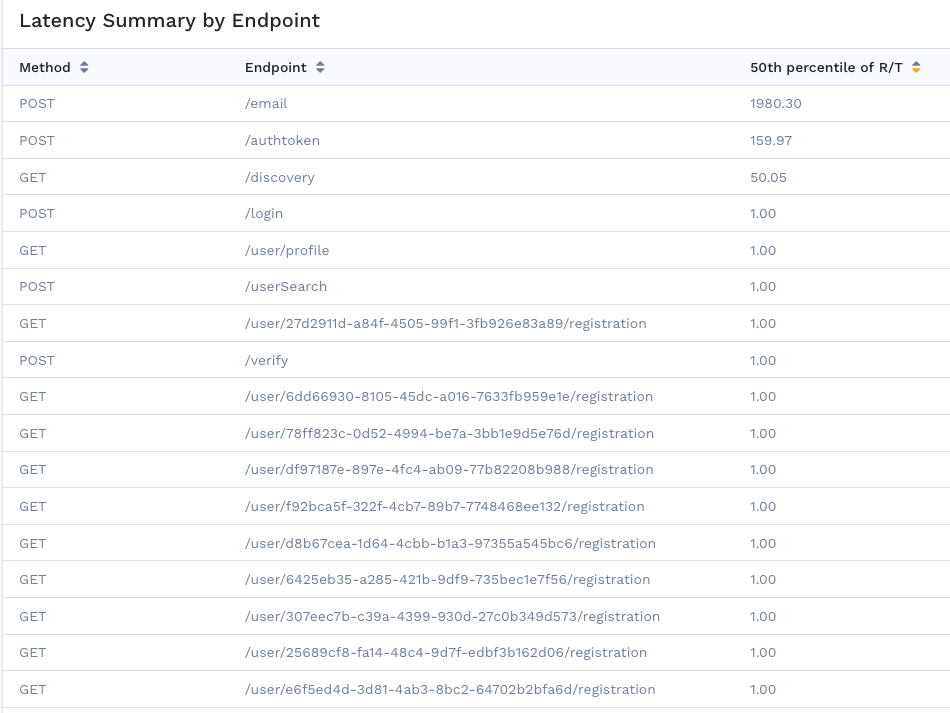
Traditionally the [latency summary table](https://docs.speedscale.com/guides/reports/performance-details/#latency-summary) is provided with the raw endpoints observed during replay, but a common pattern in API design involves embedding identifiers as a part of the URL. This leads to so many entries in the table that they are no longer useful.
Here the `/user/{id}/registration` endpoint has a new entry for each user.
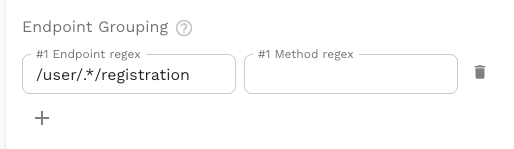
By providing endpoint regex patterns in the test config we can group distinct URLs together into what we would call a single API endpoint in an API server.
Using regular expressions (regex) we can group endpoints so they make more sense. Here we set the **Endpoint regex** pattern to `/user/.*/registration`.
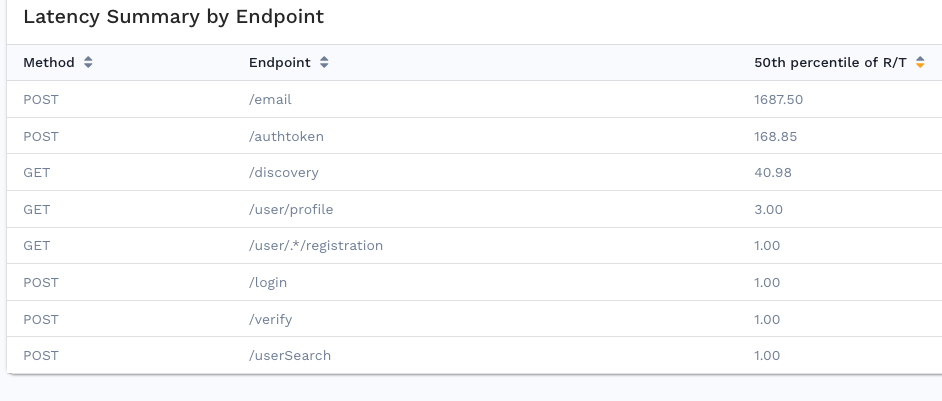
Now replays run with this test config will provide a more concise latency summary table.
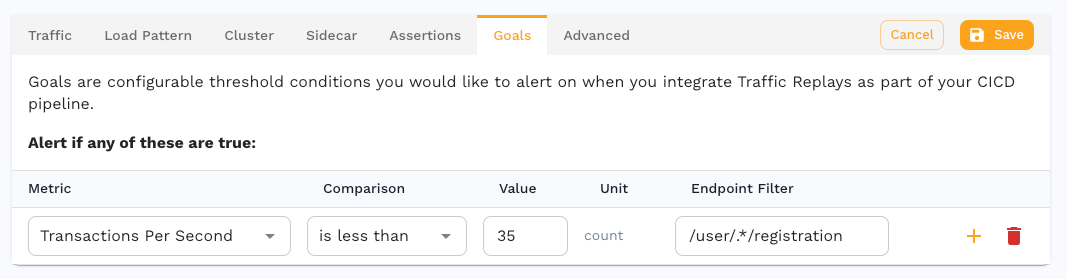
And using the exact same pattern in [goals](https://docs.speedscale.com/reference/configuration/goals/) will set thresholds for the endpoint group.
### Regex Troubleshooting
We recommend validating your regex by navigating to [regex101.com](https://regex101.com/) and selecting the **Golang** flavor on the left.
* both **Endpoint regex** and **Method regex** are optional
* an endpoint may only match 1 pattern so place more specific patterns at the top
* partial text will match, for example the pattern `cond` will match the endpoint `/first/second/third`