---
title: "Goals | Speedscale Docs"
description: "Define success criteria for your tests with Speedscale by setting goals that trigger report failures to ensure optimal performance in CI/CD pipelines"
canonical: "https://docs.speedscale.com/reference/configuration/goals/"
---
[Documentation index](https://docs.speedscale.com/reference/llms.txt) | [Markdown](https://docs.speedscale.com/reference/configuration/goals/index.md) | [Canonical page](https://docs.speedscale.com/reference/configuration/goals/)
# Goals
The goals section allows you to define what a successful test run looks like. If any of the goals defined are triggered the report will fail. If the report fails as a part of your CI/CD integration your pipeline may stop so when using Speedscale in CI/CD ensure your goals are set properly
The UI contains hints explaining the different metrics.
## Examples
Let's create a useful example for our application.
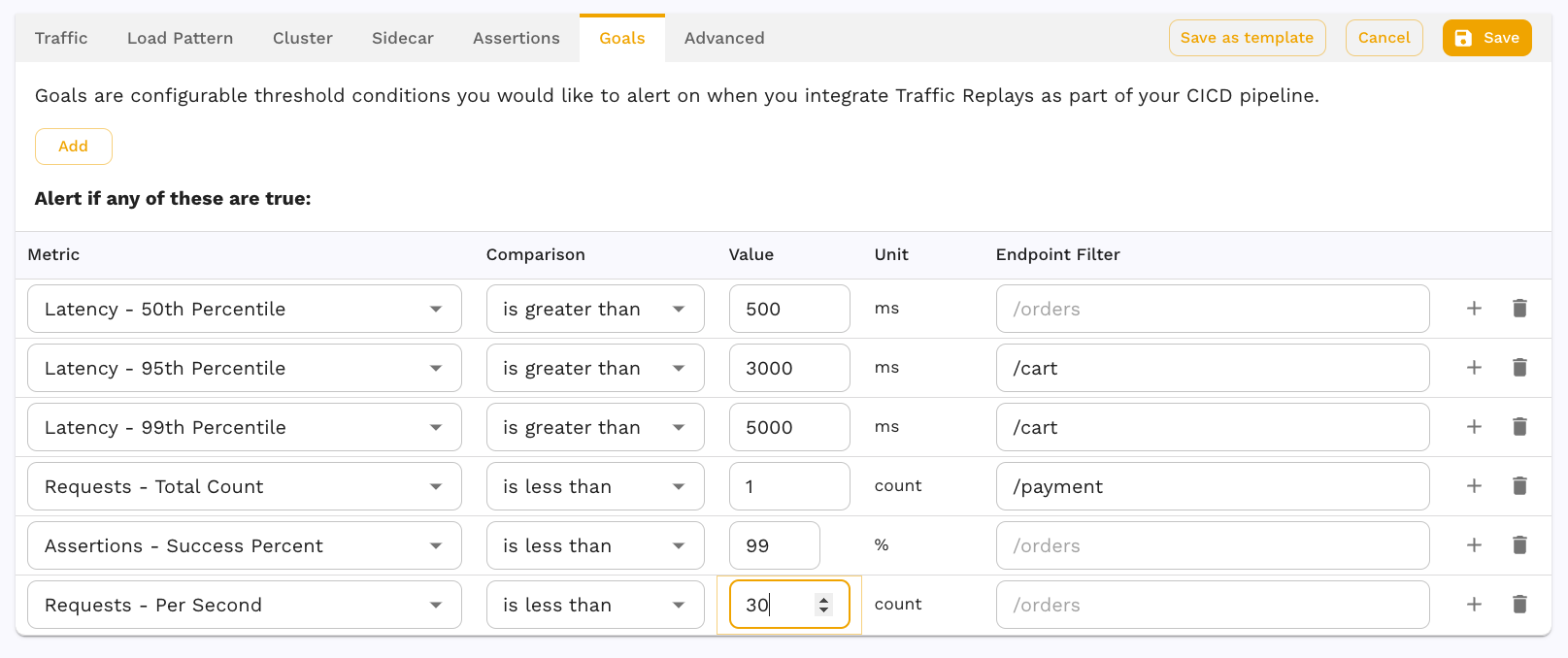
Reports run with this test config will fail if any of the metrics defined are true when the replay completes.
| Metric | Reasoning |
| --- | --- |
| Any location 50% latency > 500ms | Most users should have a fast experience with responses less than 500 ms. |
| /cart location 95% latency > 3000ms | The cart is especially important and the majority of users should get a response in less than 3 seconds. |
| /cart location 99% latency > 5000ms | Virtually all users should see a cart response within 5 seconds or we risk them clicking away, losing the company money. |
| /payment requests > 1 | This replay should contain at least one call to the /payment endpoint to ensure it's tested. |
| successful assertions < 99% | Of the assertions being run, basically all of them should pass. |
| RPS < 30 | There is a business requirement that my application can handle at least 30 requests per second. |
## LLM streaming goals
A replay that sends streamed LLM requests reports time to first token, inter-token latency, request latency and token rates, so goals can hold a model server to them, for example `llmTtftP95` too high at `800`. See [LLM Streaming Metrics](https://docs.speedscale.com/guides/replay/llm-streaming-metrics/) for every metric name and its definition.