---
title: "Sessions | Speedscale Docs"
description: "Track and manage sessions in Speedscale for API testing, including automatic detection and manual identification of session IDs during traffic replay."
canonical: "https://docs.speedscale.com/guides/transformation/sessions/"
---
[Documentation index](https://docs.speedscale.com/guides/llms.txt) | [Markdown](https://docs.speedscale.com/guides/transformation/sessions/index.md) | [Canonical page](https://docs.speedscale.com/guides/transformation/sessions/)
# Sessions
Front end applications and APIs typically have back and forth conversations that can be grouped into sessions. Speedscale automatically tracks sessions for common patterns like OAuth2. If Speedscale detects a session it will assign a session ID to each RRPair involved in the conversation during capture for easy sorting/filtering. During replay, sessions are handled automatically.
## Automatic Detection
In many cases, sessions are automatically detected and given a unique identifier matching some aspect of the traffic. As an example, consider an OAuth2 login. In the RRPair viewer you will see a JSON response from the server like this:
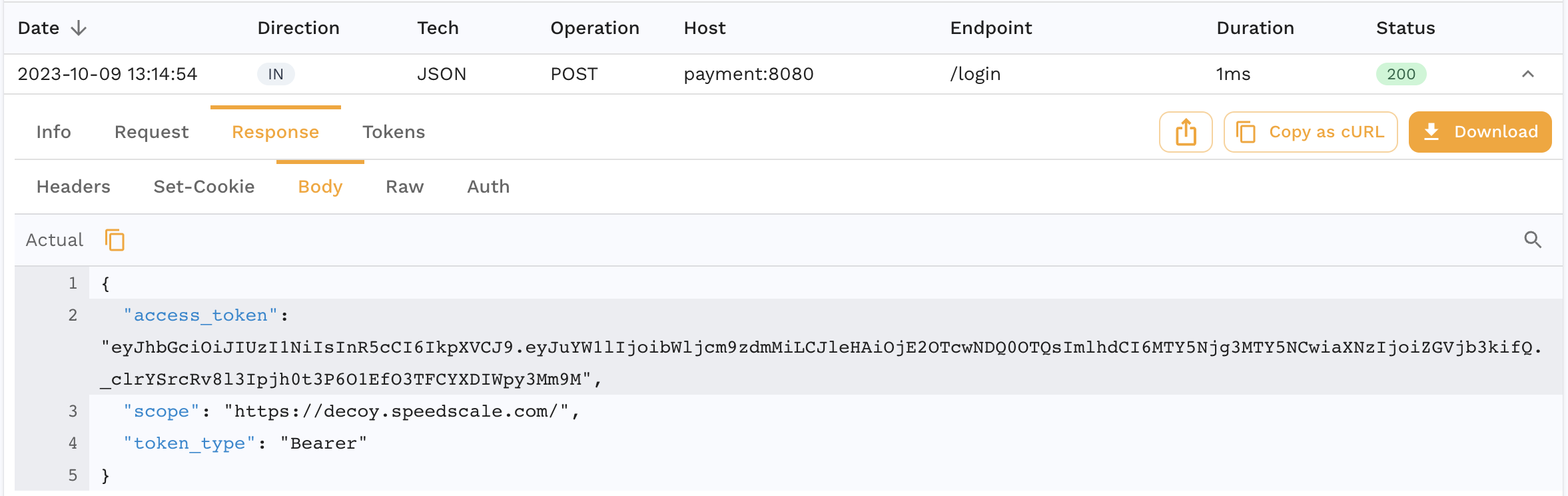
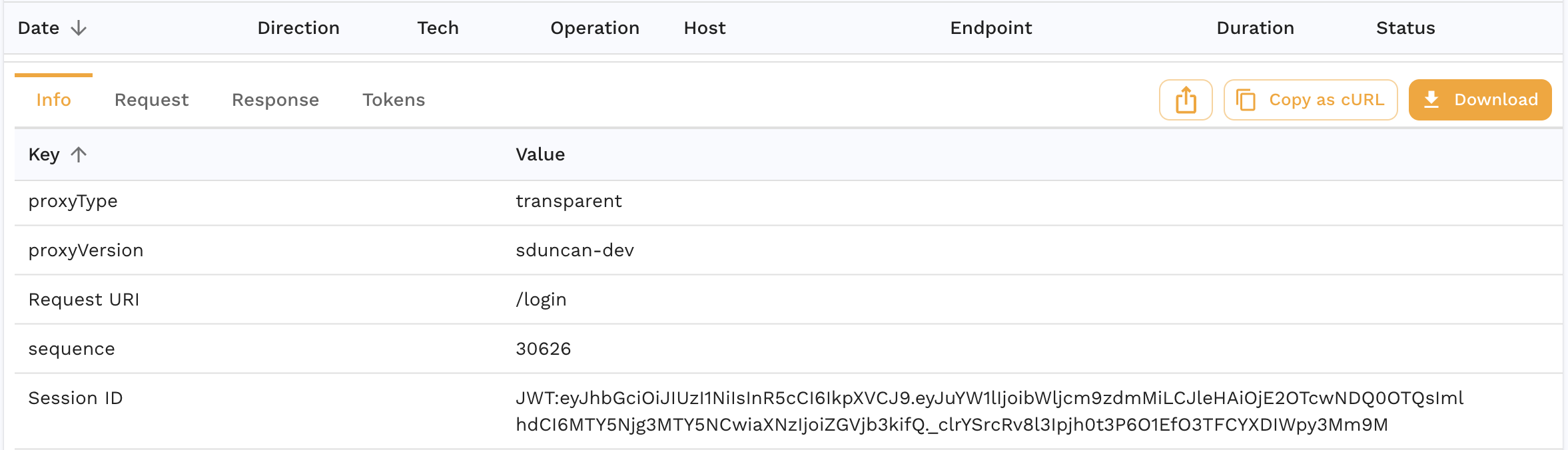
Now click on the `Info` tab on that same RRPair. You can tell that Speedscale detected this token because it populates the JWT as the session ID.
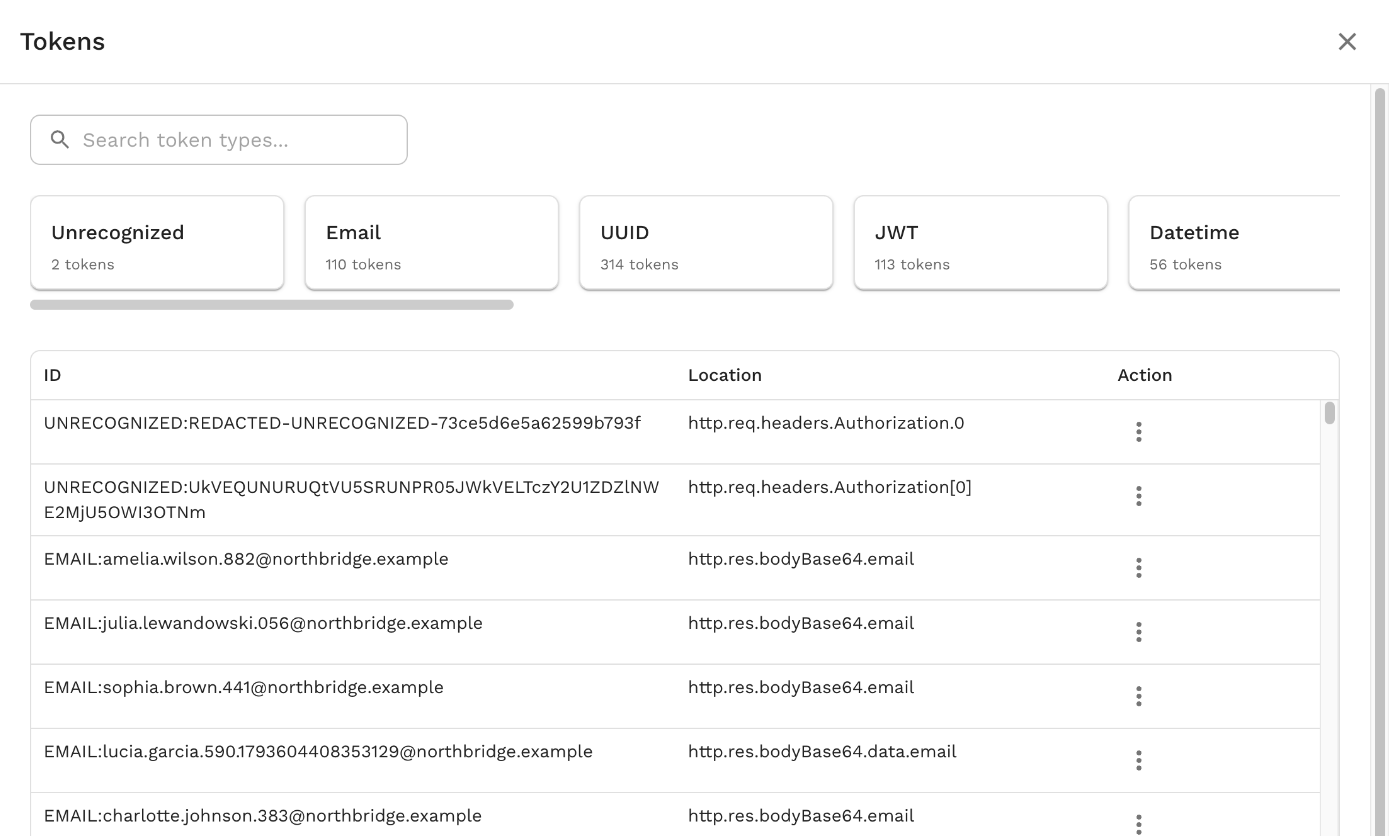
When a snapshot is created data about the sessions will be aggregated into a summary. The list of detected tokens/sessions can be viewed from the snapshot's **⋮** menu with **View Tokens**:
One of the most common uses for sessions during replay is [smart\_replace](https://docs.speedscale.com/guides/transformation/smart-replace/). When a session is tagged by smart\_replace, Speedscale will detect and re-use that token wherever it is used in subsequent calls.
## User Identified
If Speedscale does not automatically detect sessions in your traffic, you can manually identify them using a transform chain like the following:
```text
req_body() <-> json_path(path="customer") <-> tag_session()
```
This will extract the request body, find the `customer` root key and then tell Speedscale to treat that as the session identifier for this RRPair. Any session IDs assigned by you will take precedence over Speedscale's automated discoveries.