---
title: "From Scratch | Speedscale Docs"
description: "Create mock services from scratch with proxymock by seeding and deleting mock responses, and configuring passthrough mode for effective API testing."
canonical: "https://docs.speedscale.com/guides/replay/mocks/from-scratch/"
---
[Documentation index](https://docs.speedscale.com/guides/llms.txt) | [Markdown](https://docs.speedscale.com/guides/replay/mocks/from-scratch/index.md) | [Canonical page](https://docs.speedscale.com/guides/replay/mocks/from-scratch/)
# Mock Services from Scratch
How to work with the data the responder uses:
1. Seed mock responses without using the UI
2. Delete mock responses without using the UI
3. Passthrough mode
## Prerequisite - create a snapshot
First you need a starter snapshot that you’ll work with, in my case I captured a single outbound request from an nginx container to NASA. Capture with these annotations:
```bash
apiVersion: apps/v1
kind: Deployment
metadata:
annotations:
sidecar.speedscale.com/inject: "true"
sidecar.speedscale.com/tls-out: "true"
```
Run a curl against your pod against the `/nasa` endpoint with a valid call for the NASA API, and you should see a transaction. I decided to filter only for outbound calls and then saved the snapshot.
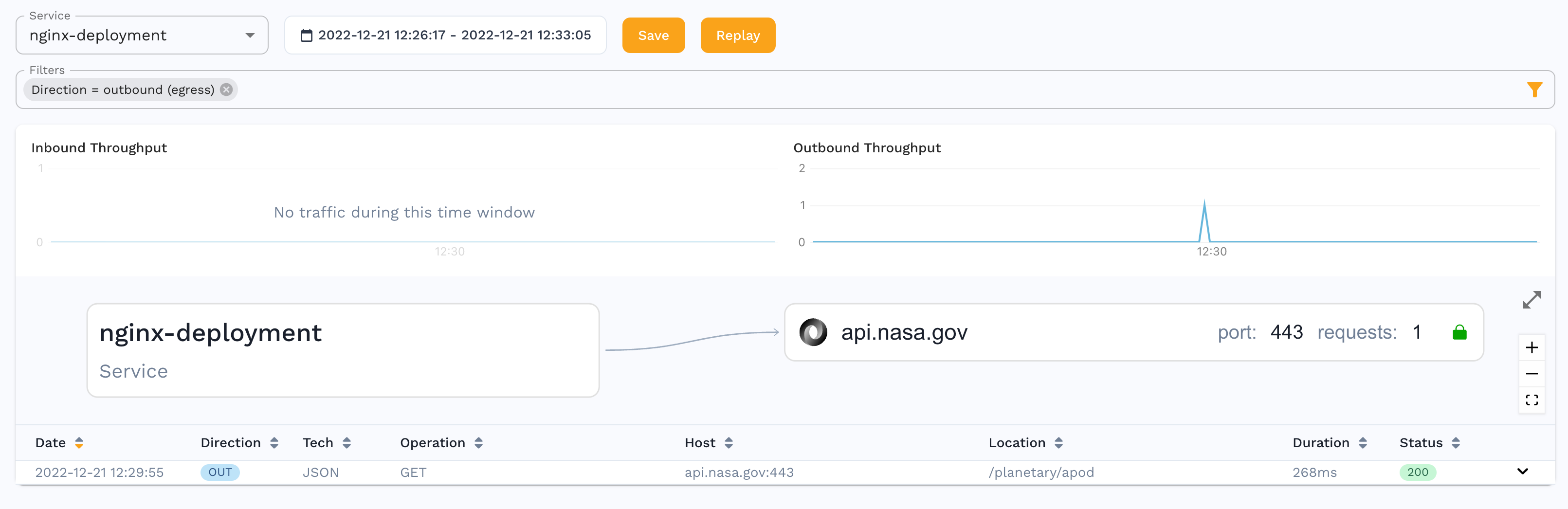
Download the snapshot with a command like this:
```bash
speedctl pull snapshot {SNAPSHOT_ID}
```
## Add Mock Responses
You’ll want to open the snapshot directory in your favorite editor like VSCode. You will see several files in the `{SNAPSHOT_ID}` directory. The `raw.jsonl` is the original raw traffic, you’ll want to add your responses here. Grab one of the lines that is already there and open in an editor and you’ll see the format, here are the first few lines.
```bash
{
"msgType": "rrpair",
"resource": "nginx-deployment",
"ts": "2022-12-21T17:29:55.570976264Z",
```
Note that the body payloads are base64 encoded. For example if you want to add a new request with different query parameters, you would update the params to what you want, and then you need to put in a new body. For example:
```bash
echo '{"foo": "Hello World!"}' | base64
```
Take the output of that and put into the `http.res.bodyBase64` value.
⚠️ You also need to delete the UUID parameter in the JSON because you want your new rrpair to get a new unique identifier.
Save the rrpair file and then you can add it to your raw file like so (note that `-c` will take out all the whitespace):
```bash
cat rrpair-hello.json| jq -c . >> raw.jsonl
```
Now you can upload the snapshot like so:
```bash
speedctl push snapshot {SNAPSHOT_ID}
```
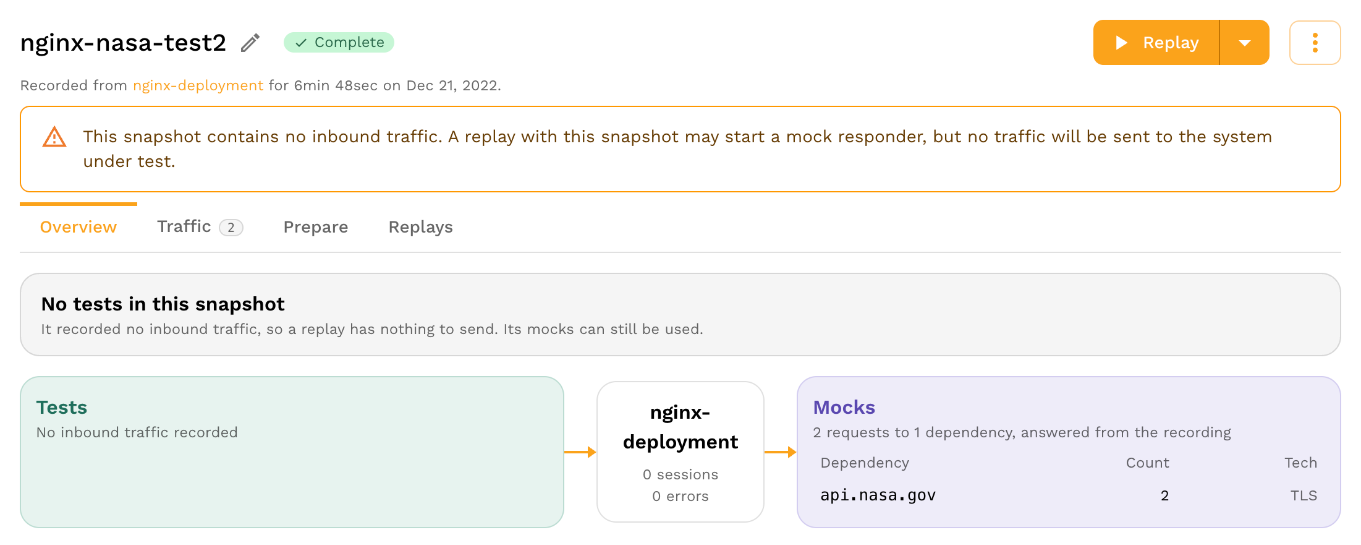
You should now see there are 2 responses:
You can view the traffic by going to the `Traffic` tab and selecting `Mocks`:
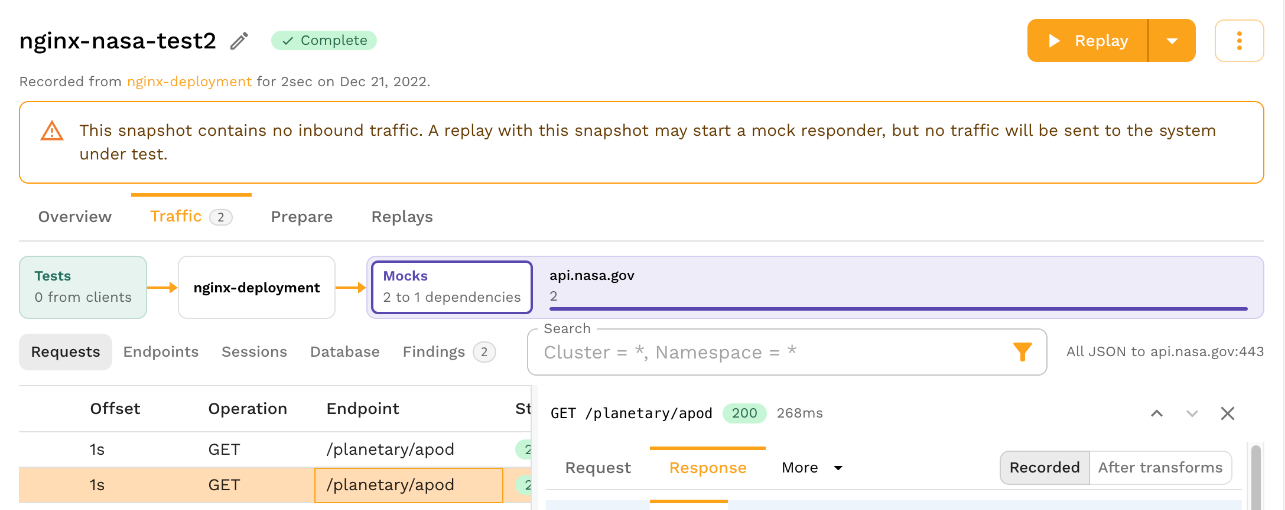
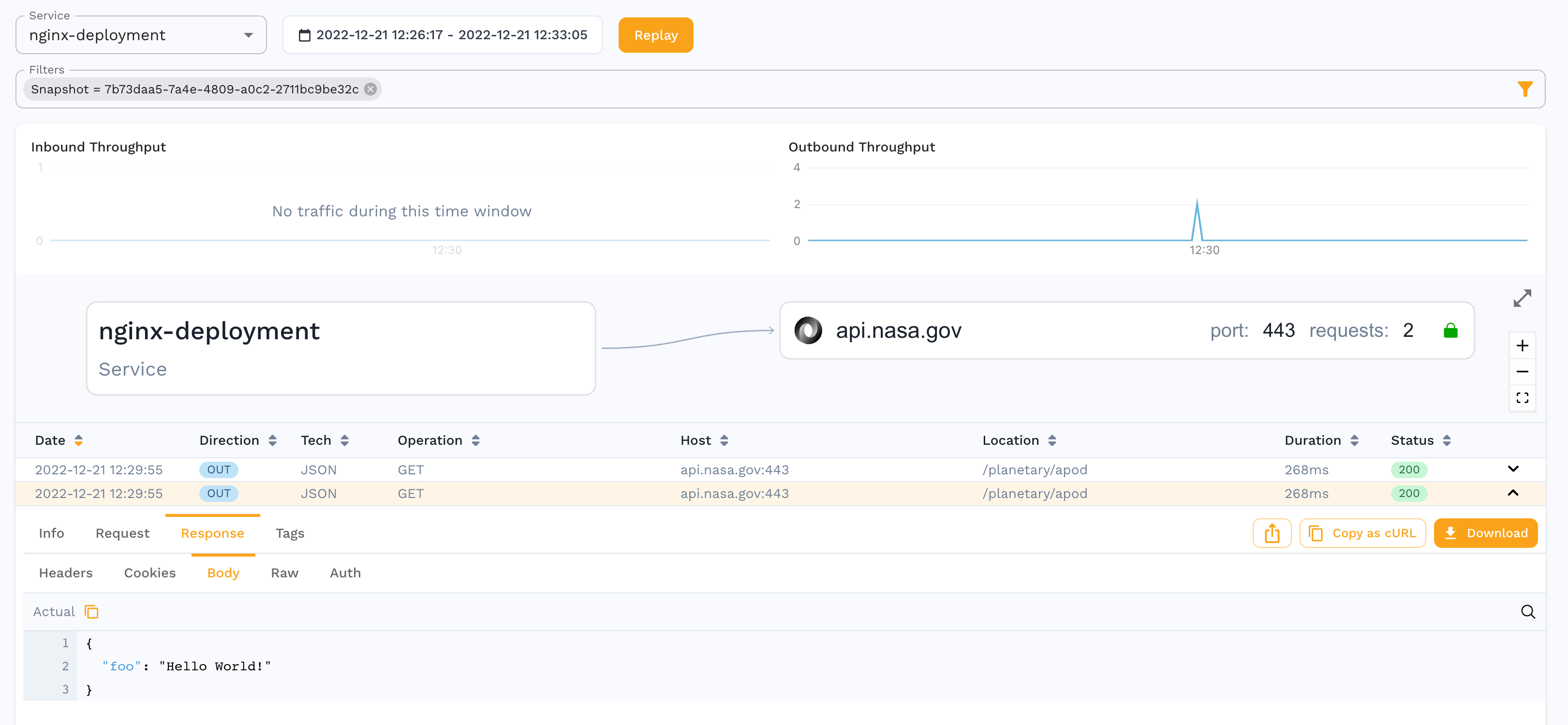
Once it loads the traffic you will see the 2 calls, and the 2nd call has the Hello World response:
## Delete Mock Responses
Now that you’ve added a response, you can see that deleting one just requires finding the correct value from the `raw.jsonl` file, deleting it, and then pushing the snapshot again with:
```bash
speedctl push snapshot {SNAPSHOT_ID}
```
## Configuring Passthrough
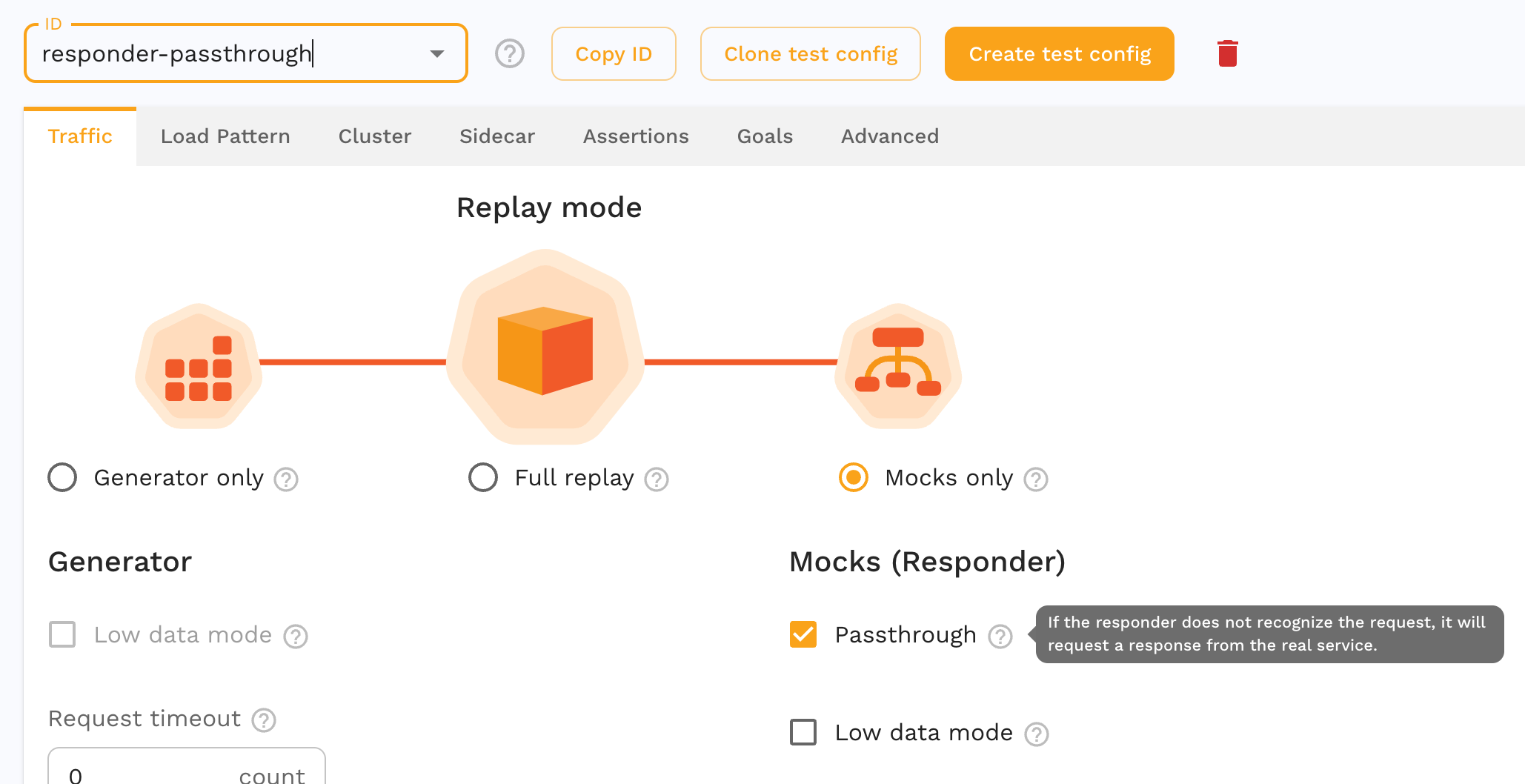
This is now a feature of the test config. Check the box, and if the responder does not match, instead of returning a 404, it will fetch from the live backend system.
## Running the snapshot
You need to run the responder by using a Custom Resource (or annotations), remember to use the updated test config that you created that has passthrough mode enabled.
```bash
apiVersion: speedscale.com/v1
kind: TrafficReplay
metadata:
name: replay-abc123
spec:
snapshotID: {SNAPSHOT_ID}
testConfigID: responder-passthrough
workloadRef:
kind: Deployment
name: nginx-deployment
cleanup: inventory
```
Then deploy it with:
```bash
kubectl apply -f cr.yaml
```
You should see the responder resources are created and attached to your pod. You can check the status by running:
```bash
kubectl get trafficreplays.speedscale.com
```
## Appendix - minikube
To run this in minikube you’ll want a load balancer, I’m using `metallb`. When configuring the ip address for `metallb`, I use something with the same 3 values as my minikube ip, but a different value for the final octet.
```bash
minikube start ...
minikube addons enable metallb
minikube ip
minikube addons configure metallb
```
## Appendix - nginx
You can register for a NASA API key here:
[NASA Open APIs](https://api.nasa.gov/)
Full manifest of nginx:
```bash
apiVersion: v1
kind: ConfigMap
metadata:
name: nginx-conf
data:
nginx.conf: |
user nginx;
worker_processes 1;
events {
worker_connections 10240;
}
http {
server {
listen 8080;
location /nasa/ {
proxy_pass https://api.nasa.gov/;
}
location /hello {
return 200 '{"hello":"there"}';
add_header Content-Type application/json;
}
location /health/v1/lively {
return 200 'this is a live check';
}
location /health/v1/ready {
return 200 'this is a ready check';
}
}
}
---
apiVersion: v1
kind: Service
metadata:
name: nginx
spec:
selector:
app: nginx
ports:
- protocol: TCP
port: 80
targetPort: 8080
type: LoadBalancer
---
apiVersion: apps/v1
kind: Deployment
metadata:
name: nginx-deployment
spec:
selector:
matchLabels:
app: nginx
replicas: 1
template:
metadata:
labels:
app: nginx
spec:
containers:
- name: nginx
image: nginx:1.14.2
ports:
- containerPort: 80
- containerPort: 8080
volumeMounts:
- name: nginx-conf
mountPath: /etc/nginx/nginx.conf
subPath: nginx.conf
readOnly: true
volumes:
- name: nginx-conf
configMap:
name: nginx-conf
items:
- key: nginx.conf
path: nginx.conf
```