---
title: "Modifying a Signature | Speedscale Docs"
description: "Modify signatures in Speedscale to enhance request matching and improve response accuracy for API testing and service virtualization."
canonical: "https://docs.speedscale.com/guides/mocking/modifying/"
---
[Documentation index](https://docs.speedscale.com/guides/llms.txt) | [Markdown](https://docs.speedscale.com/guides/mocking/modifying/index.md) | [Canonical page](https://docs.speedscale.com/guides/mocking/modifying/)
# Modifying a Signature
Signatures are hashmaps of `key=value` pairs that uniquely identify a request. The Speedscale responder picks out key information from each inbound request and assembles a signature. It then looks that signature up to see if it already knows a matching response. If It does not recognize the signature then it initiates a passthrough request or a 404. Obtaining a good response from the Speedscale responder usually means tweaking the signature of the inbound request to match the signature of a request recorded in your snapshot.
All requests contained in the `Mocks` section of the RRPair transform editor will be used for service virtualization. Whatever transformations you apply to these requests will affect their signature. Also, incoming requests will have the same transforms applied before signature matching. You can see the signature in the RRPair viewer.
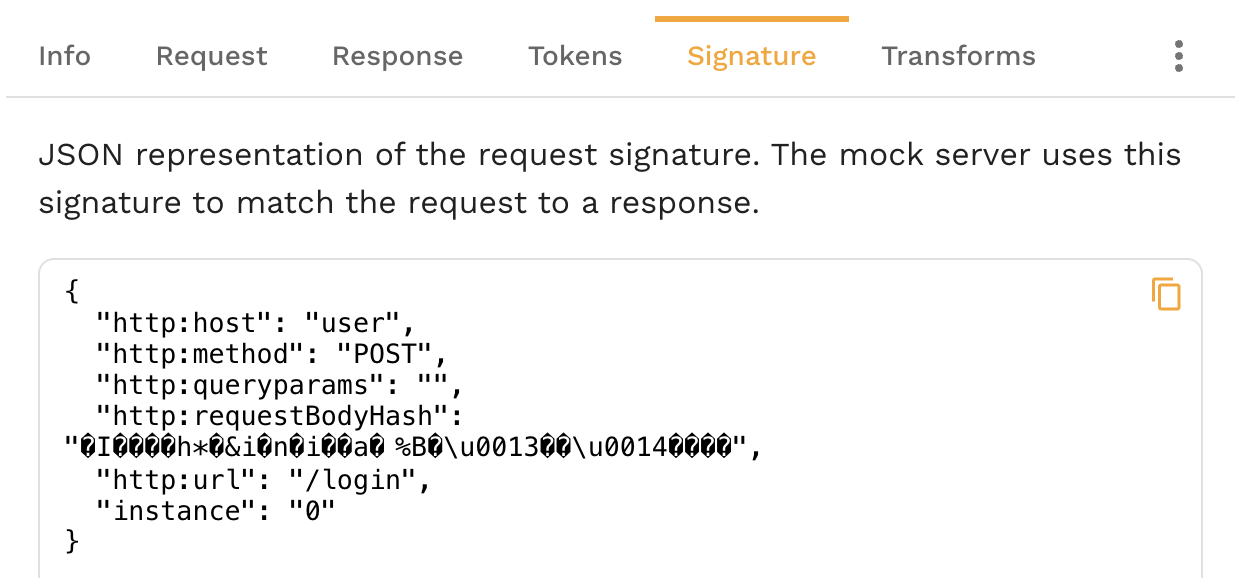
As you change the signature you will see it update after the UI refreshes.
Below are some common patterns you may find helpful.
## Removing a Signature Key
You can see the default signature values populated by Speedscale in the `signature` tab in the RRPair viewer.
```json
{
"instance": "0",
"http:host": "api.openai.com",
"http:method": "POST",
"http:queryparams": "",
"http:requestBodyJSON": "{\"messages\":[{\"content\":\"You are a helpful assistant.\",\"role\":\"system\"},{\"content\":\"What is a random interesting fact about technology?\",\"role\":\"user\"}],\"model\":\"gpt-3.5-turbo\"}",
"http:url": "/v1/chat/completions"
}
```
This signature will match incoming requests with a host of `api.openapi.com`, a method of `POST`, etc. Let's imagine that you want the same response to be returned for all command types and not only for `POST`. To affect this change we would apply a `json_delete` transform to the signature. Here is an example transform chain:
`All Traffic<->req_body()<-delete_sig("http:method")`

You can see the signature above update to no longer include the `http:method`.
```json
{
"instance": "0",
"http:host": "api.openai.com",
"http:queryparams": "",
"http:requestBodyJSON": "{\"messages\":[{\"content\":\"You are a helpful assistant.\",\"role\":\"system\"},{\"content\":\"What is a random interesting fact about technology?\",\"role\":\"user\"}],\"model\":\"gpt-3.5-turbo\"}",
"http:url": "/v1/chat/completions"
}
```
## Wildcard a URL/Endpoint Segment
It's not unusual to embed a unique identifier into the request URI. For example:
```text
/v1/abcde0123/balance
```
Sometimes you may want to simply ignore that UID `abcde0123` for signature match. This allows the mock to cover all requests of a particular type without writing special rules. To accomplish this we want to "bank out" the UID during signature match using the following transform chain:
```text
All Traffic<->HTTP URL<->Split("/", 2)<->constant(".*")
```
This will cause the original recording and the requests sent by your app to turn this URL into `/v1/.*/balance`. All incoming requests in that pattern should now match the same string. Keep in mind that you will need to set appropriate traffic filters so all URLs are not modified. You can make sure the modification is correct by looking at the `http:url` key in the signature.
```json
{
"http:method": "POST",
"http:queryparams": "",
"http:requestBodyJSON": "{\"messages\":[{\"content\":\"You are a helpful assistant.\",\"role\":\"system\"},{\"content\":\"What is a random interesting fact about technology?\",\"role\":\"user\"}],\"model\":\"gpt-3.5-turbo\"}",
"http:url": "/v1/.*/balance",
"instance": "0",
"http:host": "api.openai.com"
}
```
tip
String split transform indexes from zero. That means the first `/` counts. In this example that means telling `split` to modify index 2 (abcde0123) instead of index 1 (v1). Index 0 would be blank because it's the characters before the first `/`.
## Match on Request Body JSON
By default, HTTP requests will check the JSON body as part of the match. To modify that behavior you can either delete the `http:requestBodyJSON` key or modify it with a chain like the following:
```text
All Traffic<->json_path("http:requestBodyJSON")<->constant("new body to match on")
```
To remove this match component altogether, follow the key deletion instructions in the previous examples.
## Match on an HTTP Header or Query Param
HTTP Query Parameters are added to the signature by default. To match on a specific HTTP Header you can use the following chain:
```text
All Traffic<->HTTP Header("name")<->store_sig
```
The [store\_sig](https://docs.speedscale.com/guides/transformation/transforms/store_sig/) transform tells Speedscale to add the current data token to the signature match. For example, the above chain might cause this signature to be created if the HTTP header `name` contains the value `nate`:
```json
{
"5": "nate",
"http:method": "POST",
"http:queryparams": "",
"http:requestBodyJSON": "{\"messages\":[{\"content\":\"You are a helpful assistant.\",\"role\":\"system\"},{\"content\":\"What is a random interesting fact about technology?\",\"role\":\"user\"}],\"model\":\"gpt-3.5-turbo\"}",
"http:url": "/v1/.*/balance",
"instance": "0",
"http:host": "api.openai.com"
}
```
The key assigned to the signature is a semi-random number, in this case 5. You can specify your own key for readability by passing a parameter to `store_sig`. The number/key itself is not important for signature matching and is added only to ensure uniqueness.
tip
The examples on this page use `api.openai.com` requests. If you are mocking LLM provider APIs, see the [LLM Simulation guide](https://docs.speedscale.com/guides/mocking/llm-simulation/) for a complete walkthrough of capturing and replaying AI traffic.