---
title: "End-to-End Testing Guide | Speedscale Docs"
description: "Explore end-to-end testing workflows with Speedscale to validate APIs using real-world traffic scenarios for effective API testing and performance analysis"
canonical: "https://docs.speedscale.com/guides/end-to-end/"
---
[Documentation index](https://docs.speedscale.com/guides/llms.txt) | [Markdown](https://docs.speedscale.com/guides/end-to-end/index.md) | [Canonical page](https://docs.speedscale.com/guides/end-to-end/)
# End-to-End Testing Guide
This section provides comprehensive end-to-end testing workflows using Speedscale to validate your APIs with real-world traffic scenarios.
## Overview
End-to-end testing with Speedscale involves capturing production traffic, transforming it for testing environments, and replaying it to validate system behavior. This approach ensures your tests reflect actual user patterns and data flows.
## Key Workflows
### Authentication & Security Testing
* **JWT Token Handling**: Transform and validate JWT tokens in test scenarios
* **Login Flow Testing**: Capture and replay authentication sequences
* **Security Redaction**: Manage sensitive data during testing
### Traffic Analysis & Validation
* **Request/Response Validation**: Compare expected vs actual API responses
* **Traffic Pattern Analysis**: Understand and reproduce real usage patterns
* **Performance Testing**: Load test with realistic traffic volumes
### Mock Services & Virtualization
* **Service Mocking**: Create mocks from captured traffic
* **Third-party Service Simulation**: Replace external dependencies with mocks
* **Test Environment Isolation**: Ensure consistent test conditions
## Visual Guides
The screenshots in this section demonstrate:
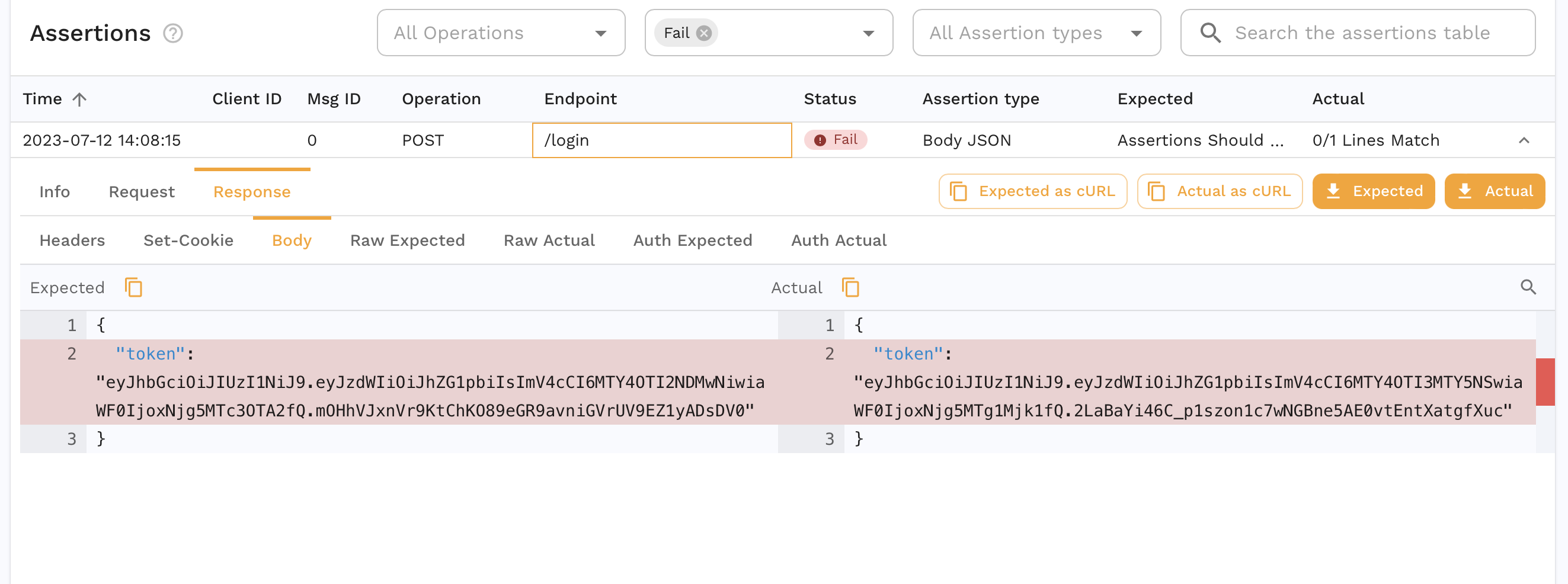 _JWT token transformation and validation_
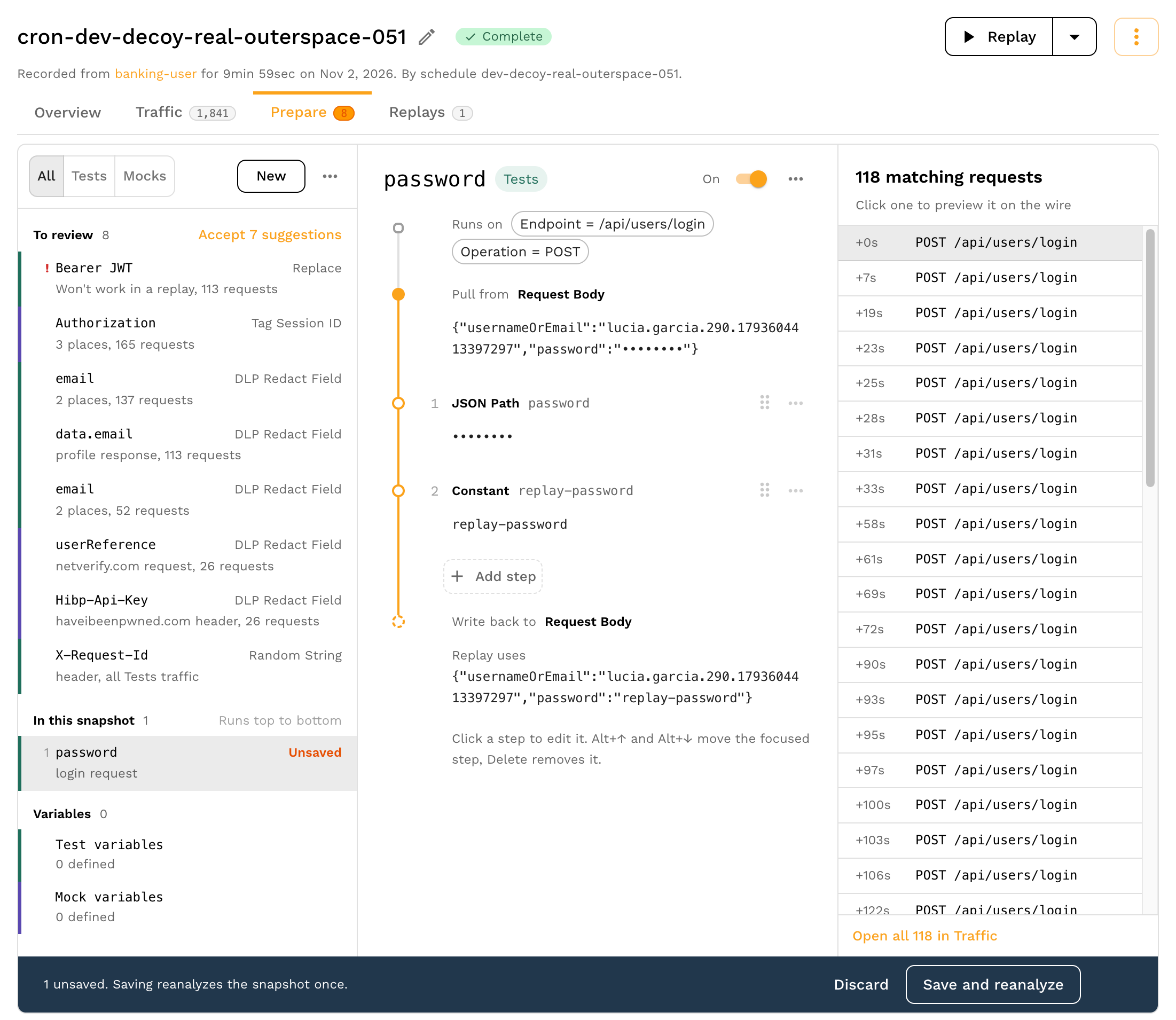 _User authentication flow capture_
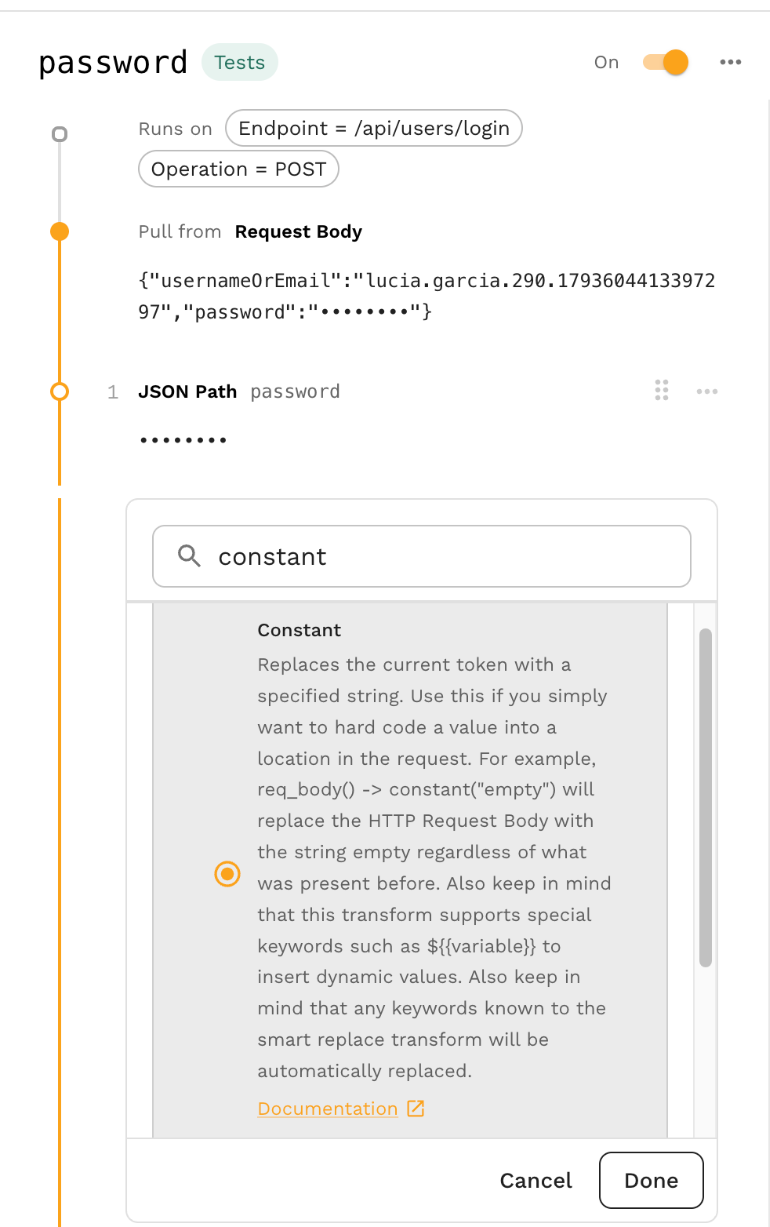 _Data transformation configuration_
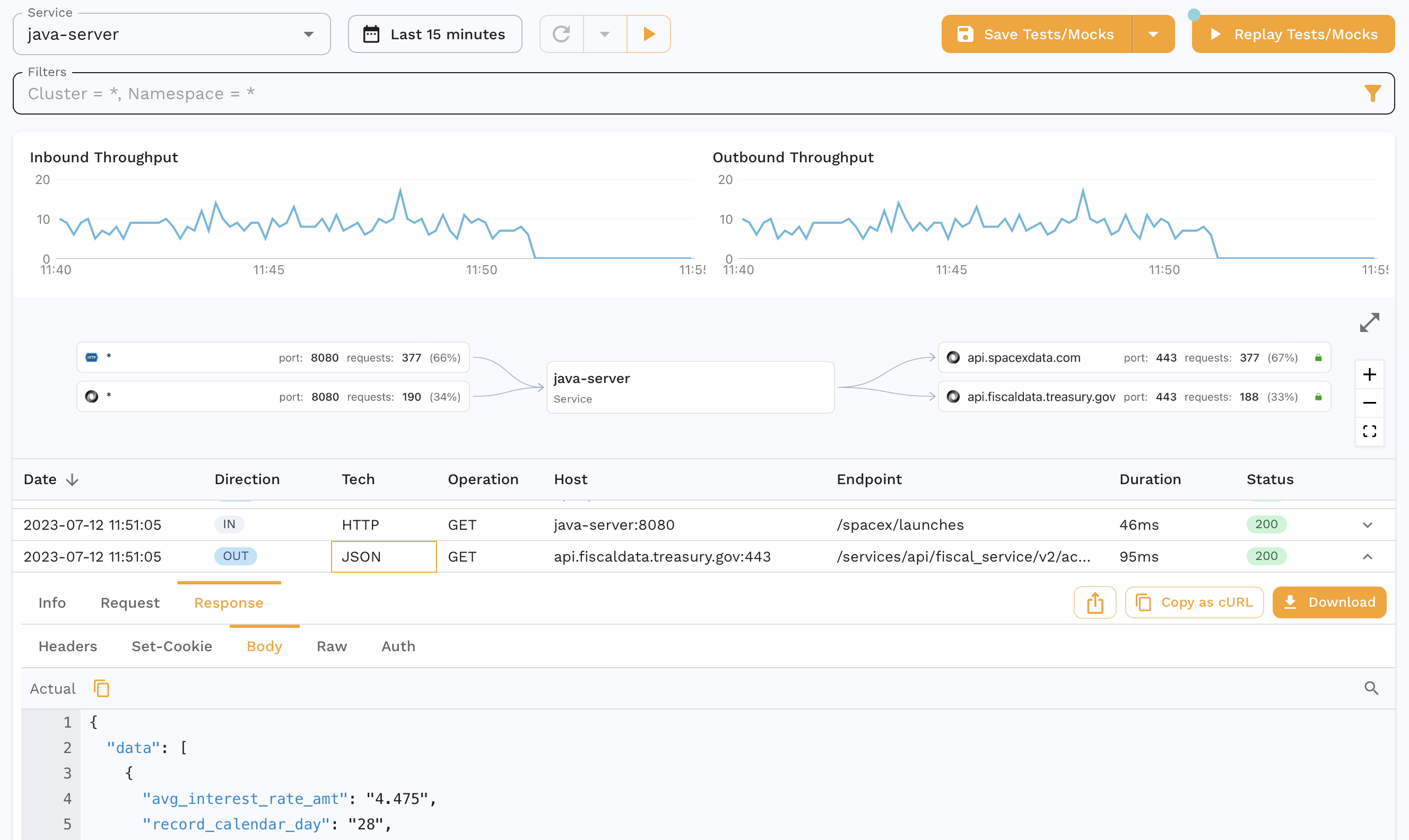 _Real-time traffic monitoring and analysis_
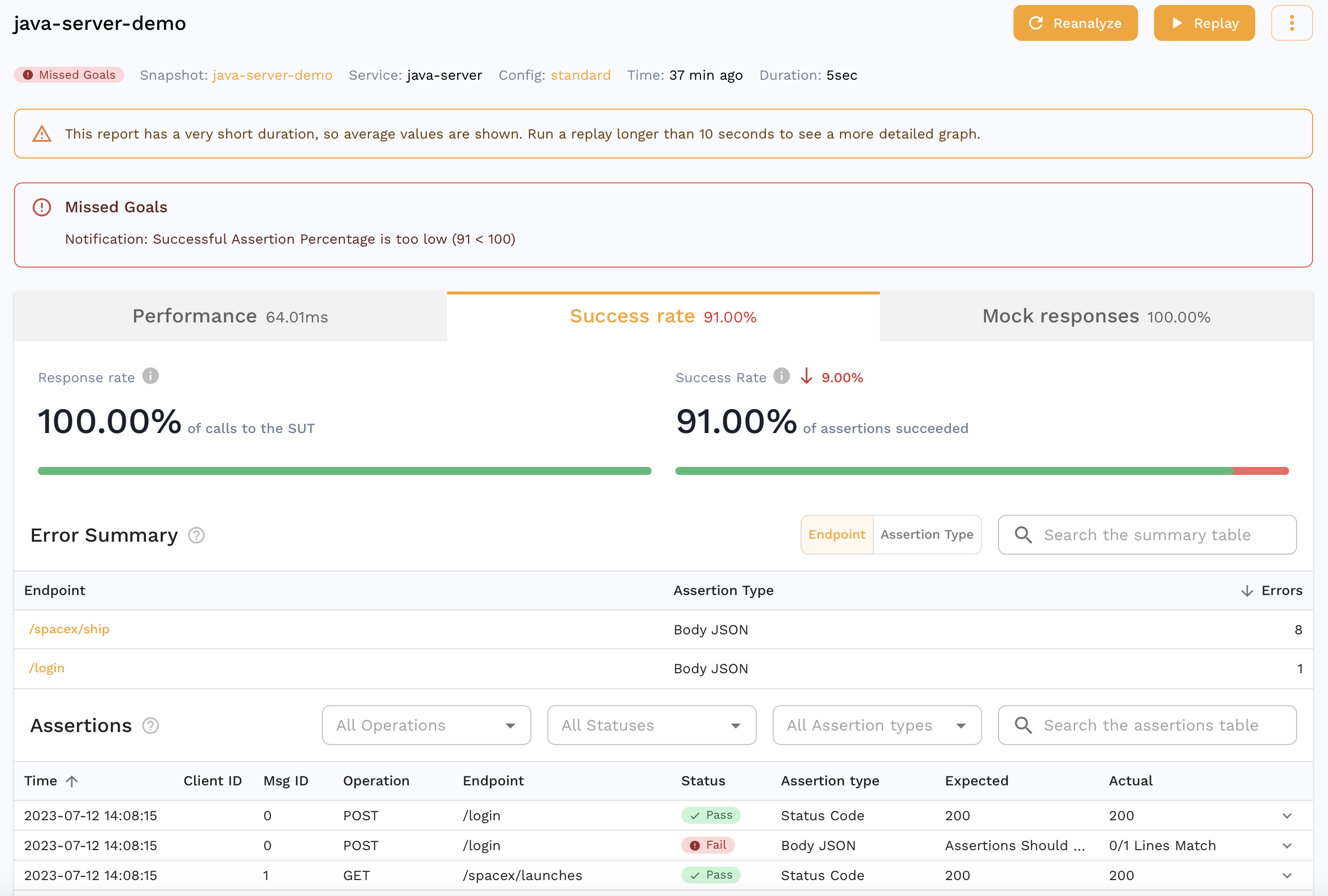 _Comprehensive test result reporting_
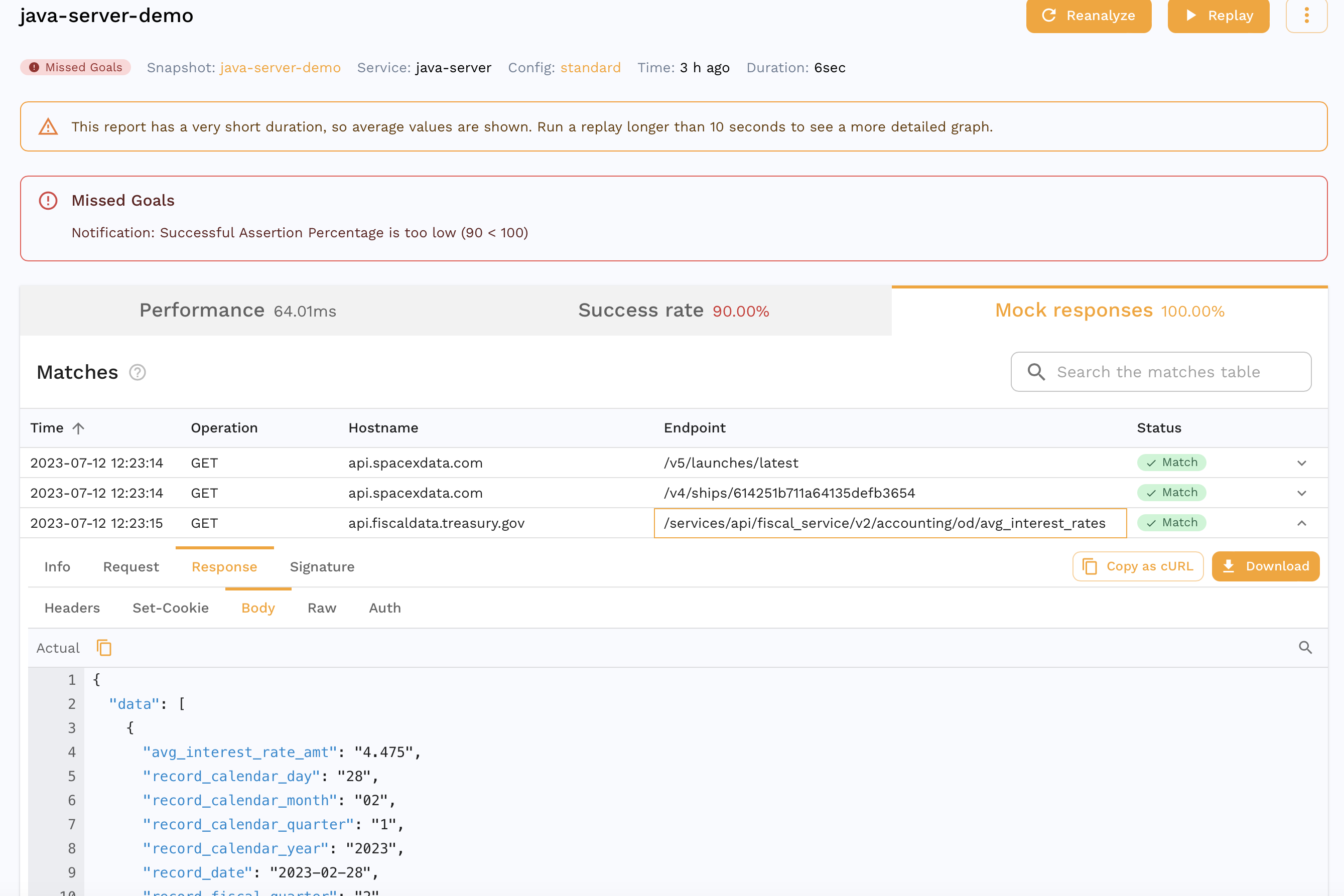 _Service mock setup and configuration_
## Getting Started
1. **Capture Traffic**: Begin by capturing production or staging traffic
2. **Transform Data**: Configure data transformations for your test environment
3. **Create Mocks**: Set up service mocks for external dependencies
4. **Run Tests**: Execute end-to-end test scenarios
5. **Analyze Results**: Review reports and validate system behavior
## Related Documentation
* [Capture Traffic](https://docs.speedscale.com/guides/capture/traffic/)
* [Transform Data](https://docs.speedscale.com/guides/transformation/overview/)
* [Service Mocking](https://docs.speedscale.com/guides/mocking/mocks/)
* [Test Configuration](https://docs.speedscale.com/reference/configuration/)
* [Reports & Analysis](https://docs.speedscale.com/guides/reports/)
For detailed implementation guides, see the specific sections for [Setup](https://docs.speedscale.com/getting-started/installation/install/), [Transform](https://docs.speedscale.com/guides/transformation/transforms/), and [Replay](https://docs.speedscale.com/guides/replay/).